
buy
SSL Protocol Configuration

SSL Protocol Configuration in OpenLiteSpeed

This guide explains how to configure SSL protocol settings in OpenLiteSpeed.
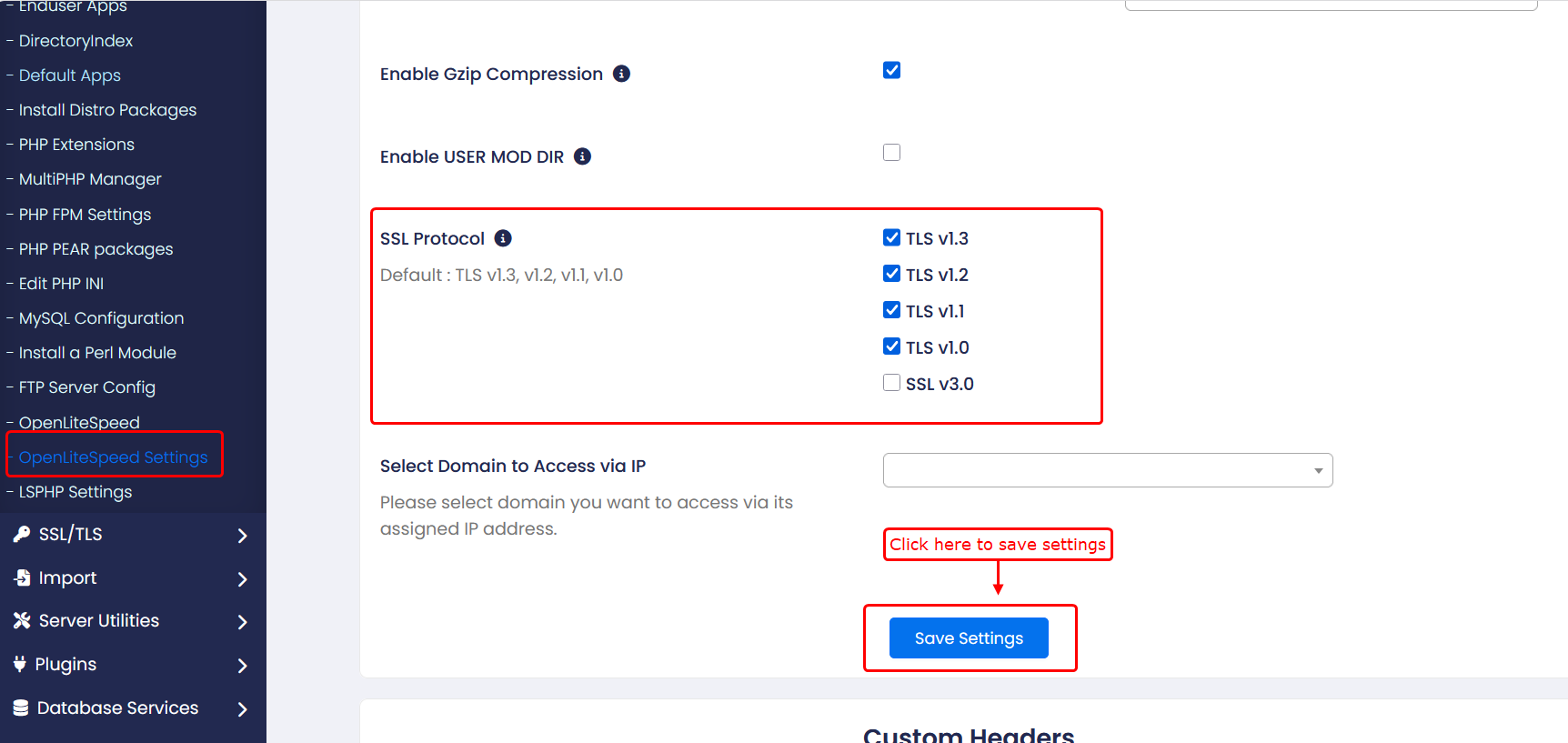
  • Steps to Configure SSL Protocol:
1) Login to the Admin Panel
2)Navigate to:
Home → Apps → OpenLiteSpeed Settings
3)Locate the SSL Protocol option
4)Choose the required protocol(s) from the list
    5)Click on Save Settings to save the changes


    • Available SSL Protocol Options:
    Default: TLS v1.3, TLS v1.2, TLS v1.1, TLS v1.0
    TLS v1.3
    TLS v1.2
    TLS v1.1
    TLS v1.0
    SSL v3.0
      Was this page helpful?
      Newsletter Subscription
      Subscribing you to the mailing list