
How to change SSL cA
This guide explains how to select the Certificate Authority (CA) before installing an SSL certificate.
Note:
Changing the SSL CA type before installing Automatic SSL, you can choose which Certificate Authority (CA) to use.
Steps to change SSL CA:
1) Login to the Admin Panel
2) Navigate to: Home → Settings → General
3) Select your preferred CA: Let’s Encrypt / ZeroSSL
4) Click on Edit Settings to Save.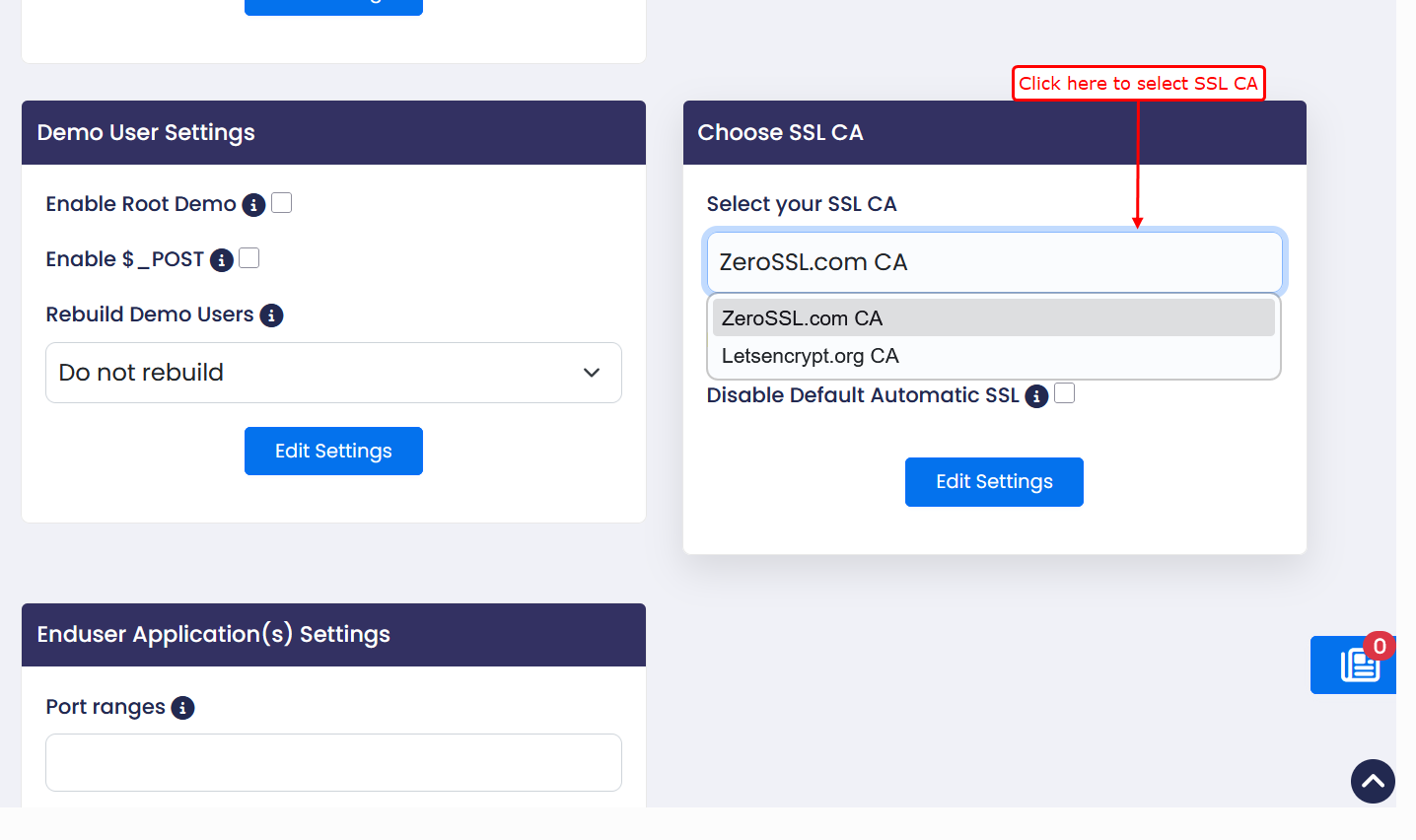
Install Automatic SSL
After selecting the desired SSL CA, you can install Automatic SSL.
Steps to install Automatic SSL:
1)Login to the Admin Panel
2)Navigate to:
Home → SSL/TLS → Automatic SSL
3)You can install a SSL Certificate for your domains.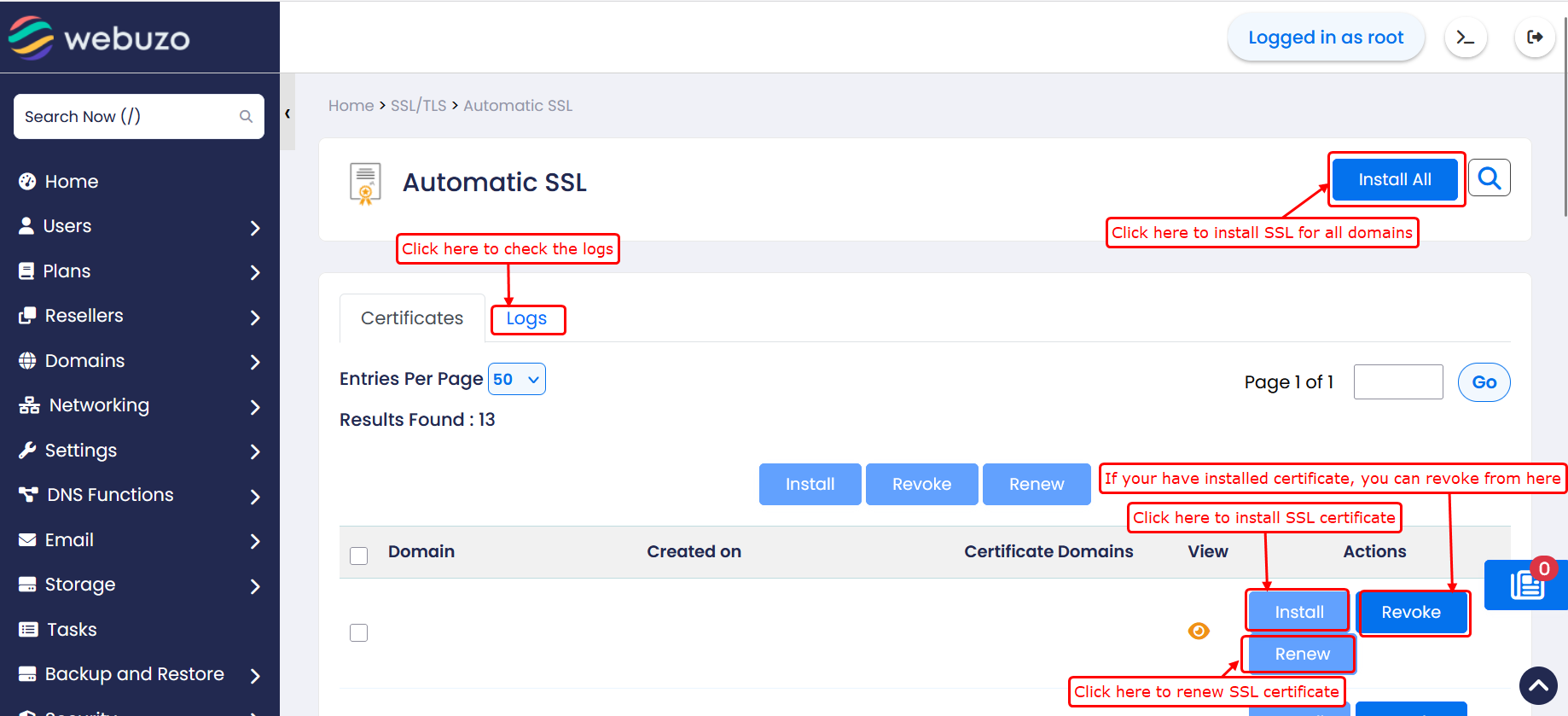
If user wants to install SSL certificate please refer to the following link:
https://www.webuzo.com/docs/endusers-website-owners/lets-encrypt-zero-ssl/
Note: The SSL certificate cannot be installed when the user is suspended, and the domain is invalid.