
Overview
This page allows you to raise a support request or suggest new features. You can choose the option that matches your requirement.
Go to:
Home → Support → Create Support Ticket
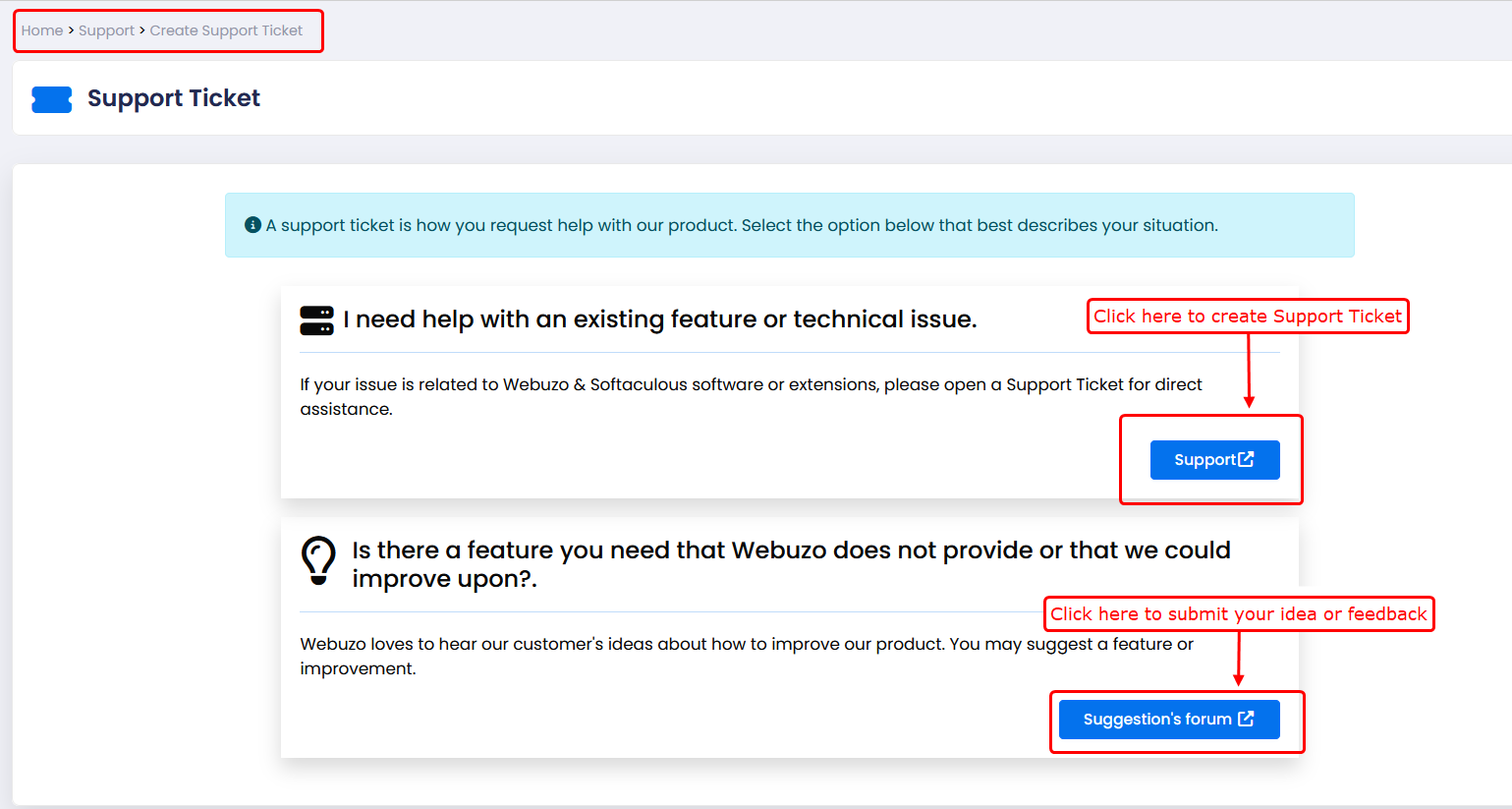
How to Create Support Ticket:
1)Locate the section:
“I need help with an existing feature or technical issue.”
2)Click on Support button.
3)You will be redirected to the Open ticket page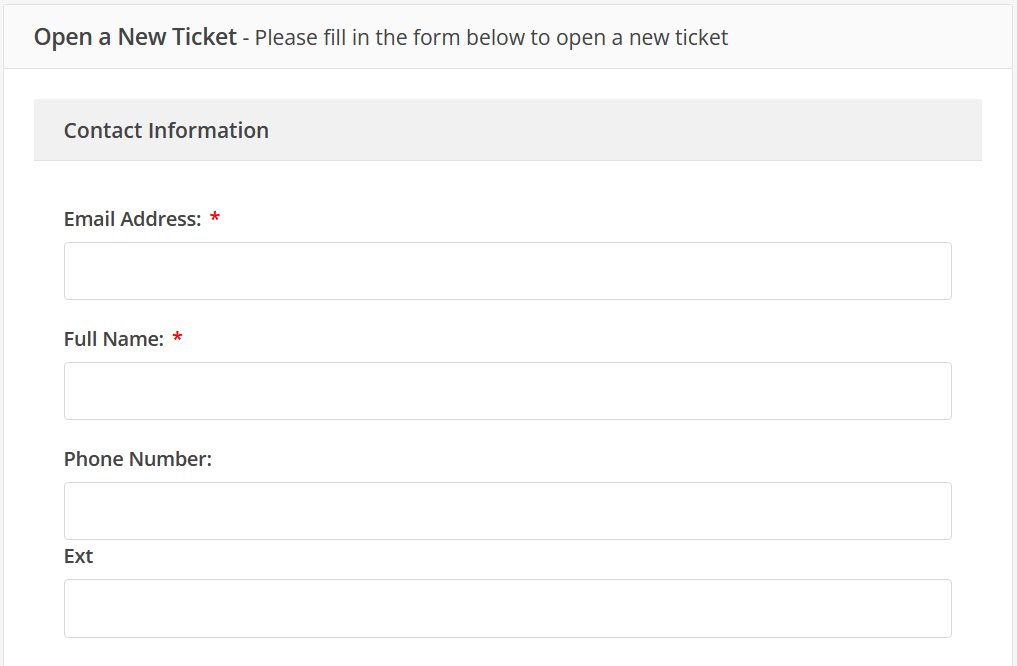
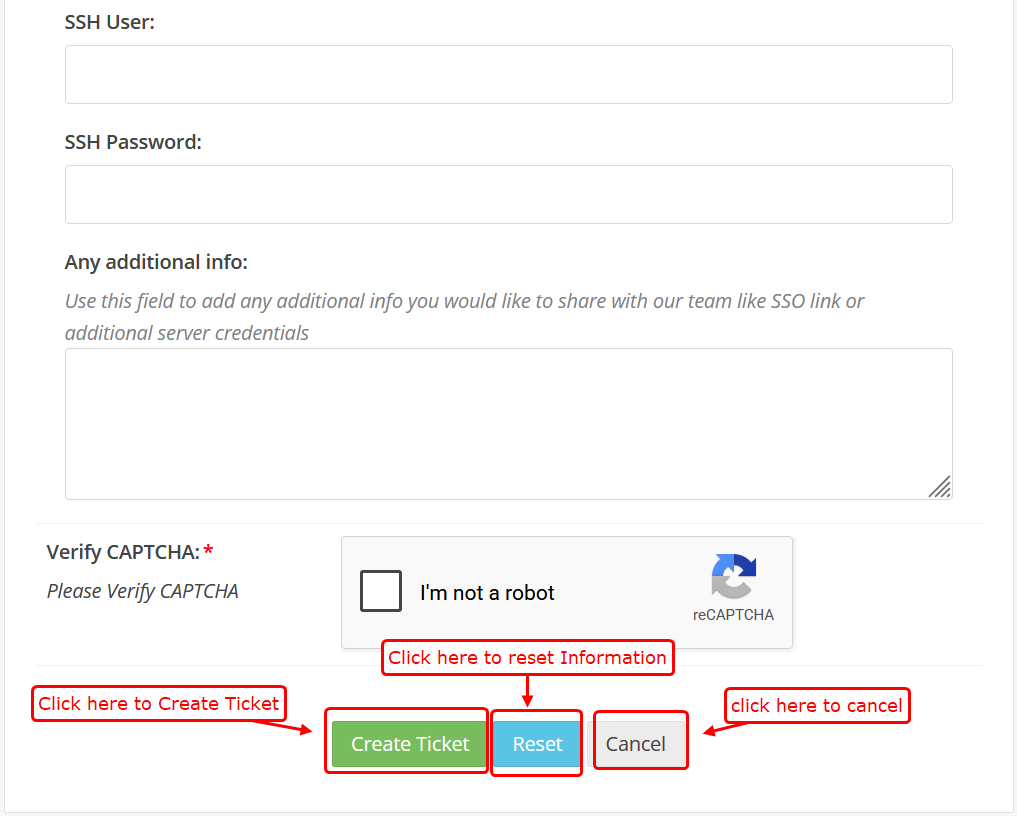
1)Contact Information:
- Enter Email Address
- Enter Full Name
- Enter Phone Number (optional)
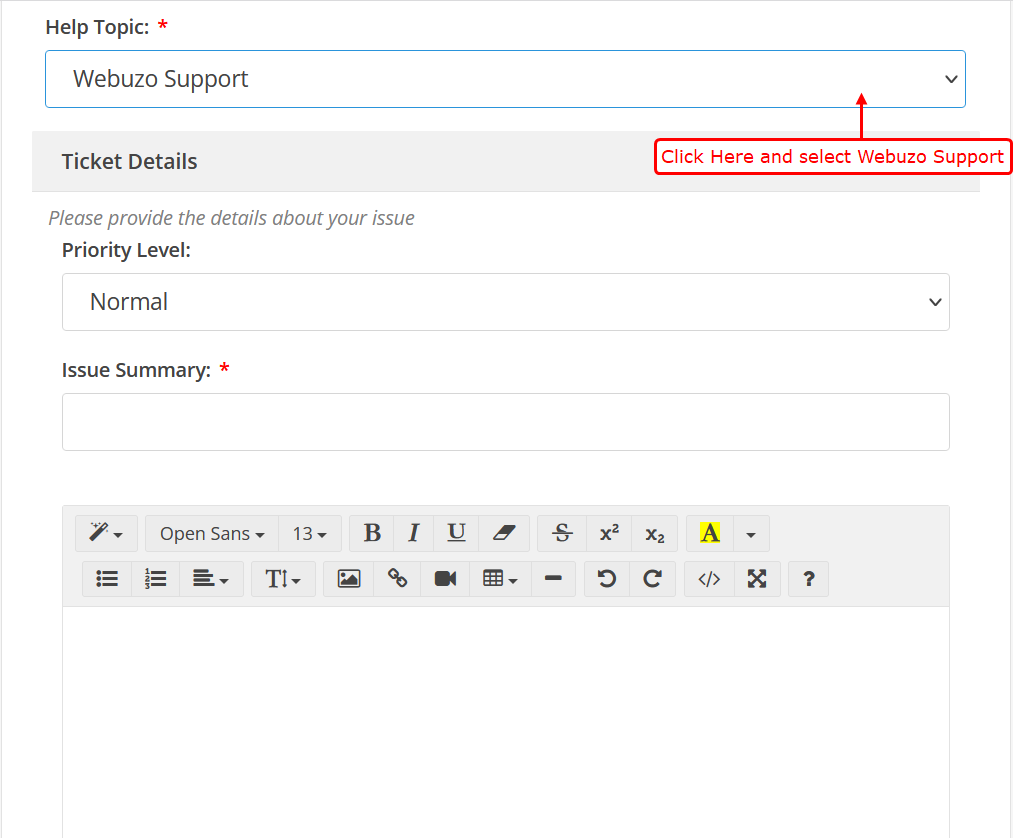
2)Select Help Topic → Webuzo
3)Ticket Details:
- Select Priority Level
- Enter Issue Summary
- Add Detailed Description (steps, errors, etc.)
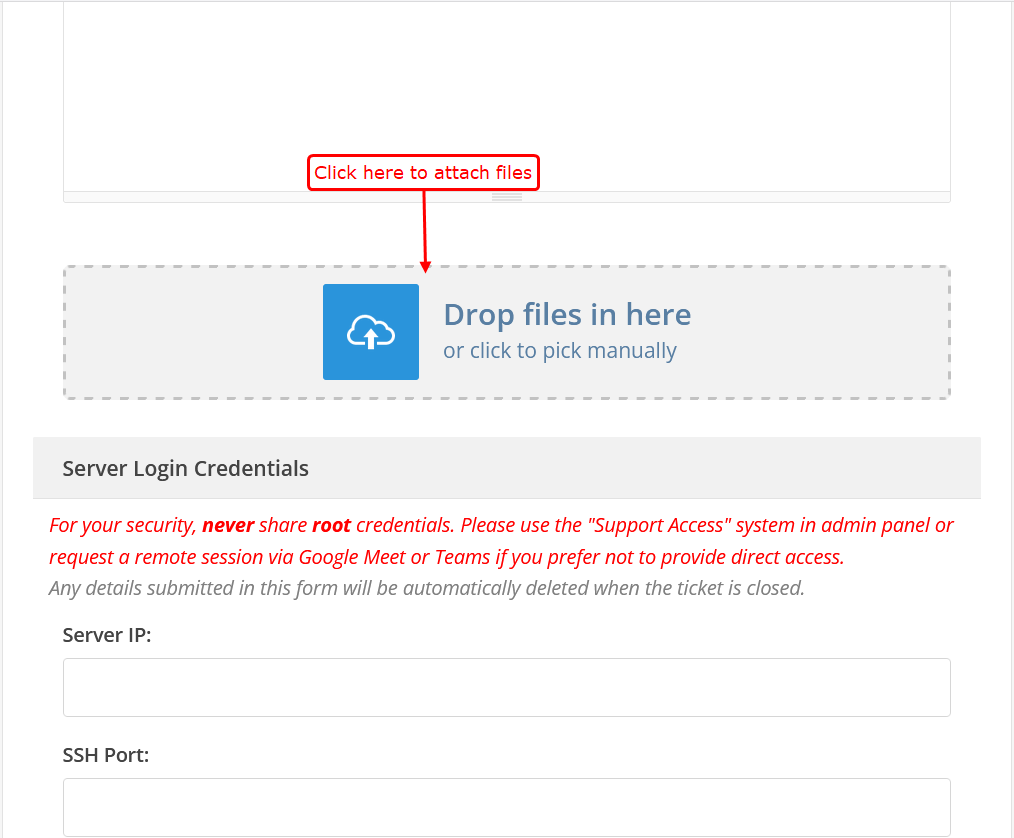
- Attach Files:
Upload logs/screenshots
4)Click here to upload files:
- Server Details (if required)
- Enter Server IP
- Enter SSH Port
- Enter SSH User
- Enter SSH Password
5)Additional Info:
- Add extra details (SSO link, notes, etc.)
6)Verification:
- Complete CAPTCHA
7)Submit:
- Click On Create Ticket to Submit
Suggest a Feature / Improvement
Go to: Home → Support → Create Support Ticket
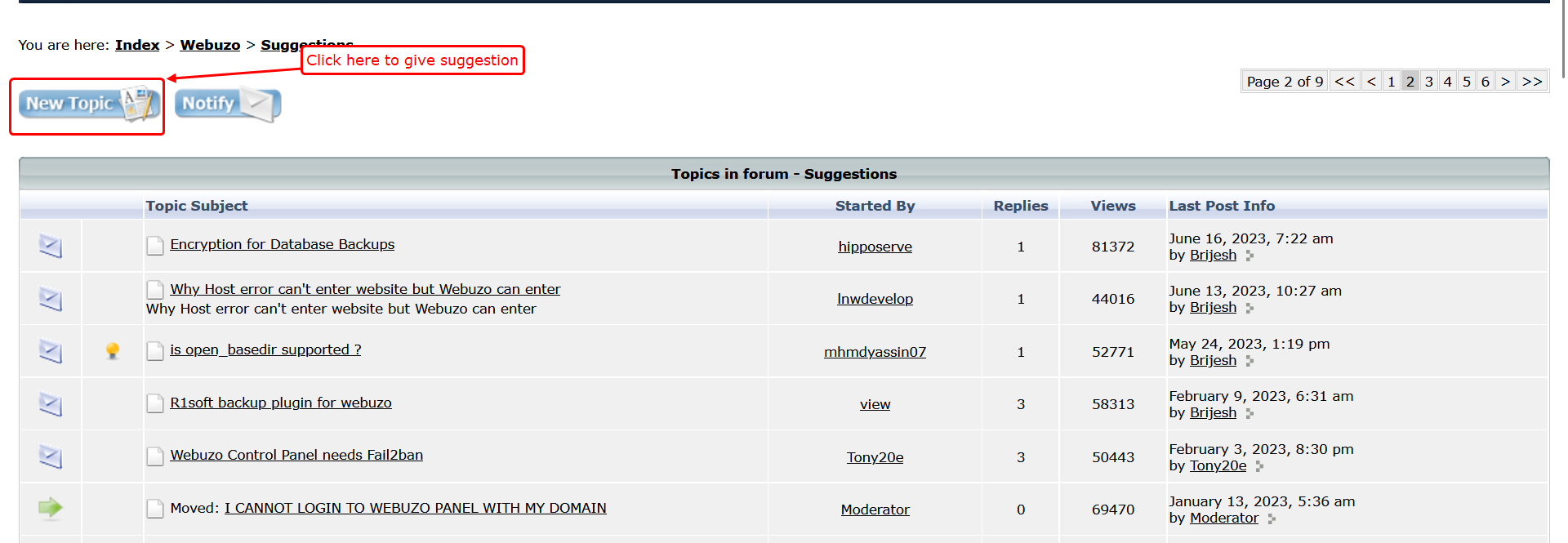
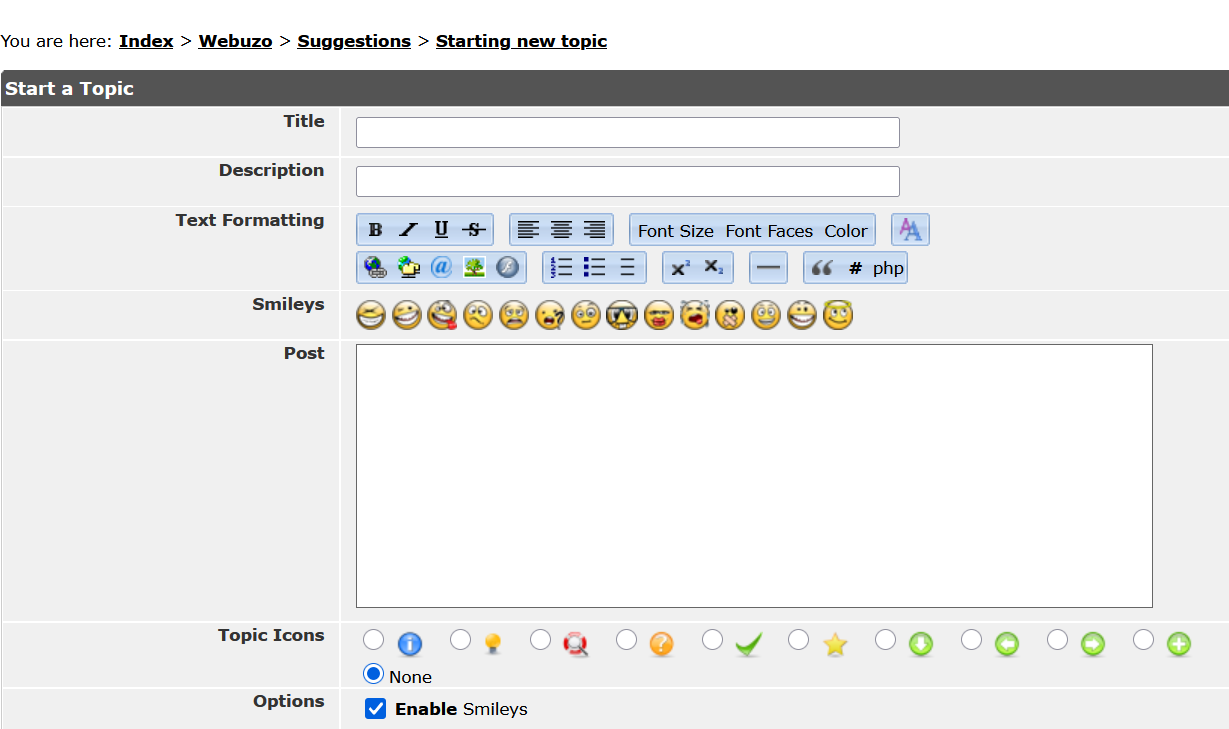

Title:
- Enter a clear title
- Example: “Add backup scheduling feature”
Post:
- Explain your idea clearly
- Include:
- What the feature does
- Why it is needed
- How it will help users
Attachments
- Upload files/screenshots if needed
Preview
- Click Preview Post
- Check before submitting
Submit:
- Click Post Topic