buy
FTP Server Config

Overview

This page allows you to configure various Pure-FTPd server settings, including security, connection limits, logging, and passive port configuration.

Procedure

Navigate to Home > Apps > FTP Server Config 
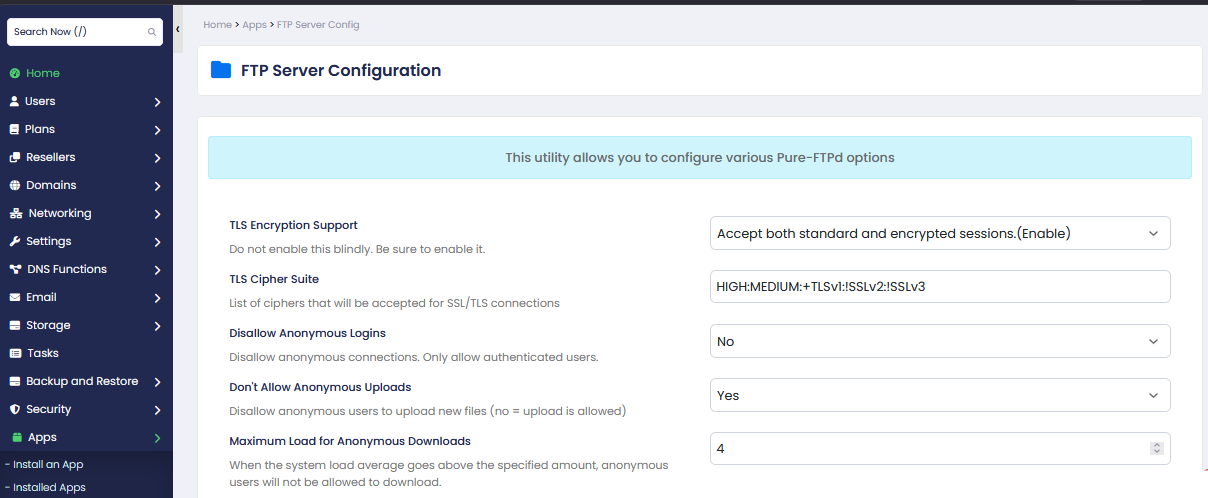
  • TLS Encryption Support: Enables secure (encrypted) FTP connections.
  • TLS Cipher Suite: Defines which encryption methods are used for secure connections.
  • Disallow Anonymous Logins: Blocks users from logging in without a username and password.
  • Don’t Allow Anonymous Uploads: Prevents anonymous users from uploading files.
  • Maximum Load for Anonymous Downloads: Stops anonymous downloads if server load exceeds the set limit.
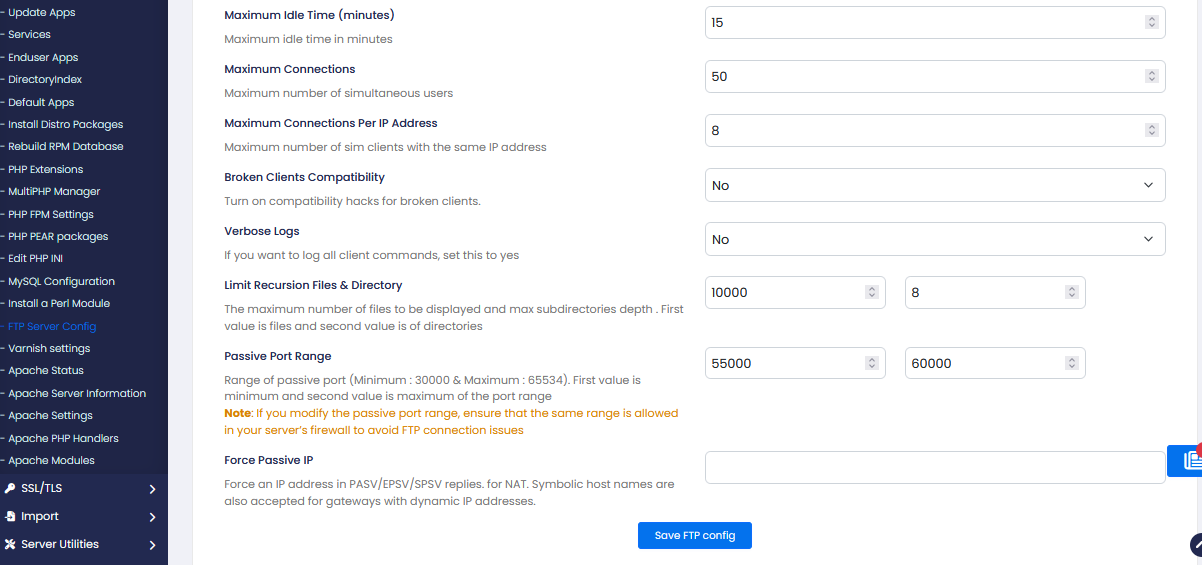
  • Maximum Idle Time (minutes): Disconnects users after being inactive for the specified time.
  • Maximum Connections: Limits the total number of simultaneous FTP users.
  • Maximum Connections Per IP Address: Restricts how many connections a single IP can make.
  • Broken Clients Compatibility: Enables support for older or non-standard FTP clients.
  • Verbose Logs: Enables detailed logging of FTP activities for debugging.
  • Limit Recursion Files & Directory: Limits the number of files and folder depth during directory listing.
  • Passive Port Range: Sets the port range used for passive FTP connections.
  • Force Passive IP: Specifies the external IP address used for passive FTP connections.
  • Save FTP Config: Saves and applies all configuration changes.

    • Was this page helpful?
      Newsletter Subscription
      Subscribing you to the mailing list