
Overview
The Brute Force Logs section helps you monitor failed login attempts on your server. It allows you to identify suspicious IPs, take action against attackers, and manage login security.
Home > Logs > Brute Force Logs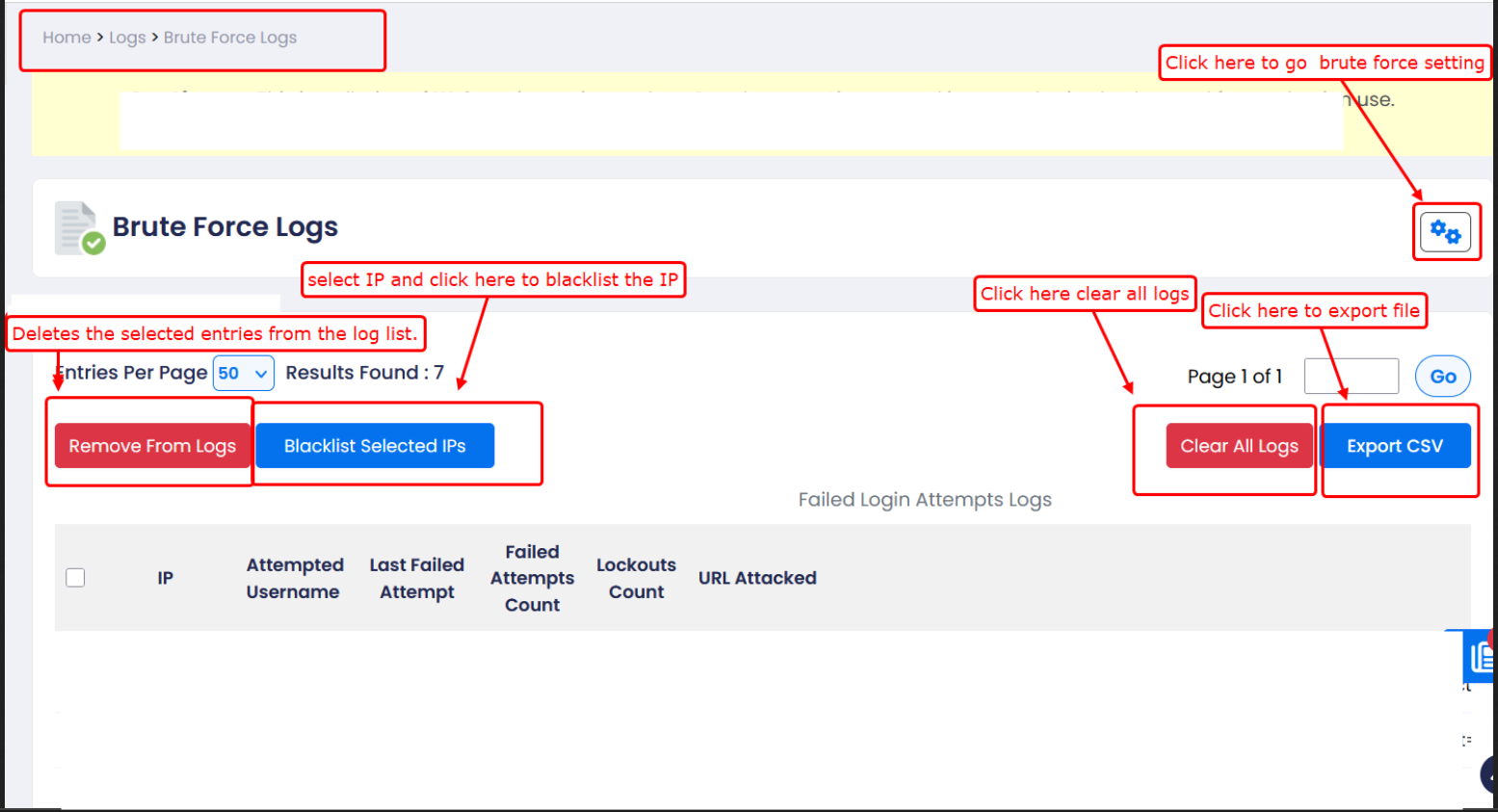
1) IP – Source IP address of the request
2) Attempted Username – Username used during login attempt
3) Last Failed Attempt – Date and time of last failed login
4) Failed Attempts Count – Total number of failed attempts
5) Lockouts Count – Number of times the IP was blocked
6) URL Attacked – Targeted login URL or service
7) Remove From Logs – Deletes selected entries from the logs
8) Blacklist Selected IPs – Blocks selected IP addresses
9) Clear All Logs – Removes all log entries permanently
10)Export CSV – Downloads logs in CSV format