Overview
The Remote SMTP Servers feature in Webuzo allows administrators to send outgoing emails through an external SMTP service instead of the local mail server. By default, emails are sent using the local Exim mail server installed on the server. This option enables routing outbound mail through third-party SMTP providers for improved delivery and reputation
Procedure
This guide will show you how to add the remote smtp server in webuzo panel
To add the remote smtp server in webuzo panel Navigate to Home > Email > Remote SMTP Servers
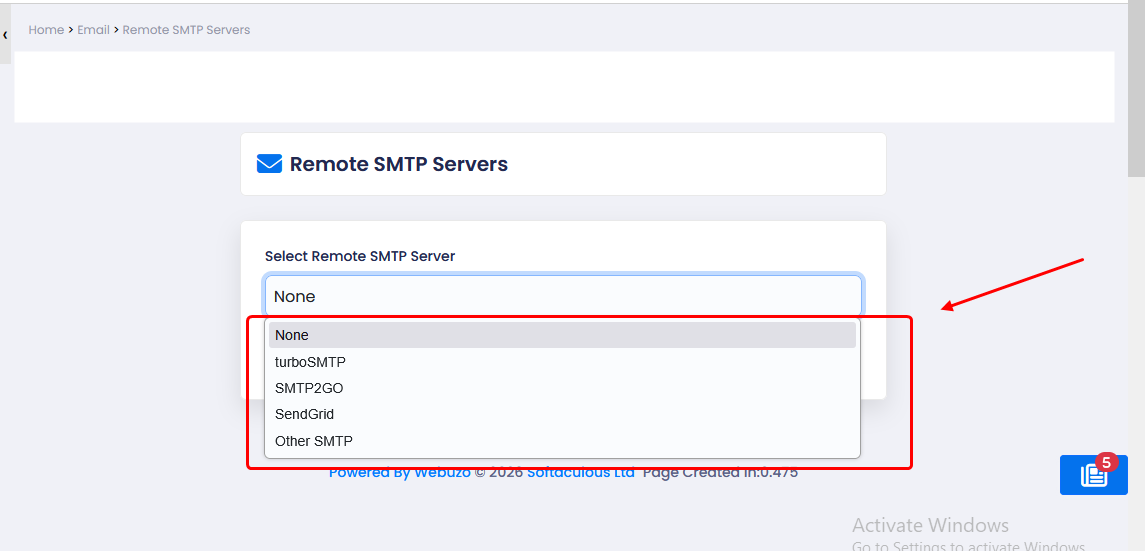
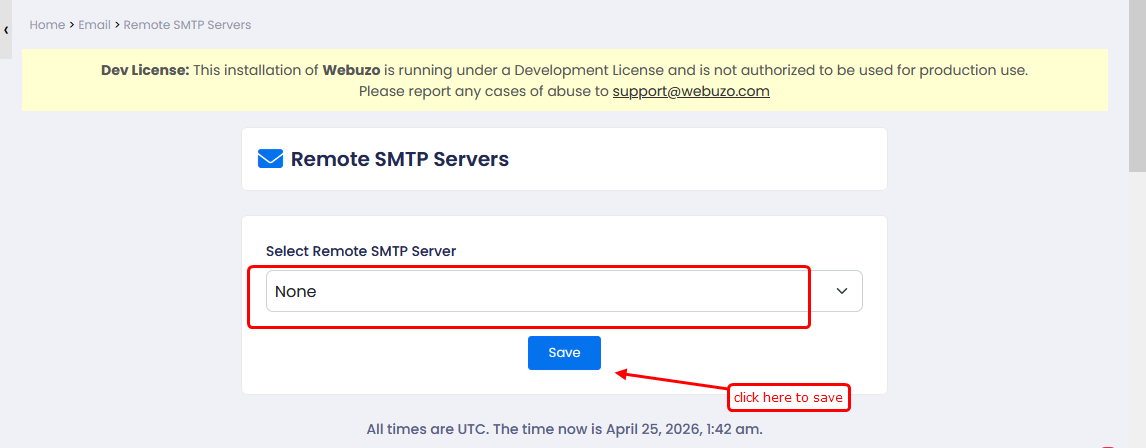
2) turboSMTP > Configure turboSMTP relay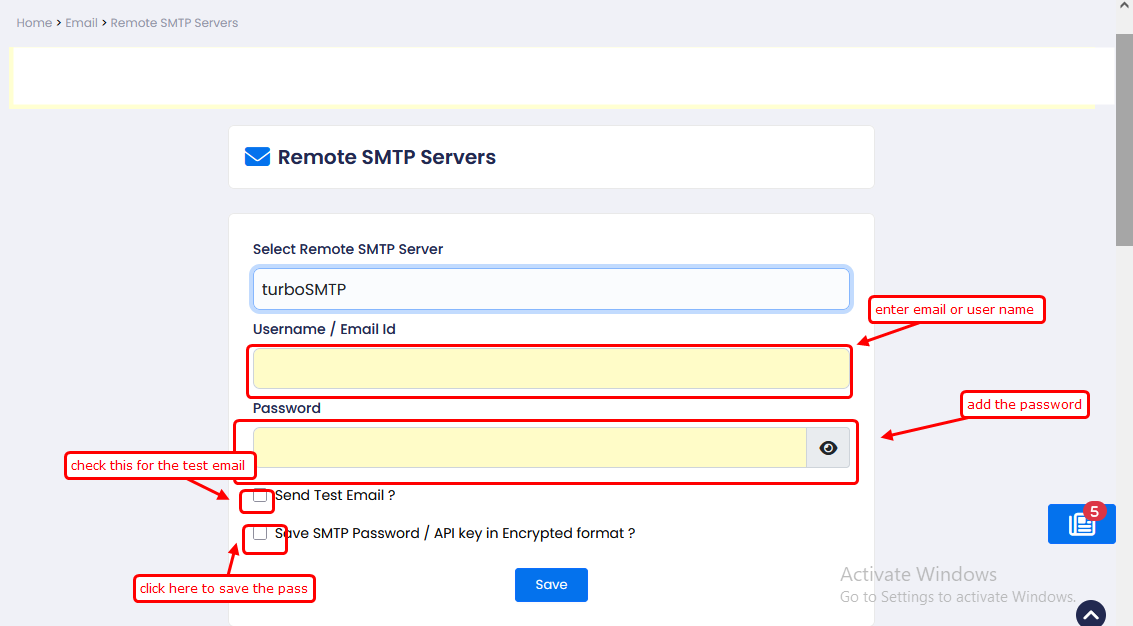
3) SMTP2GO > Configure SMTP2GO relay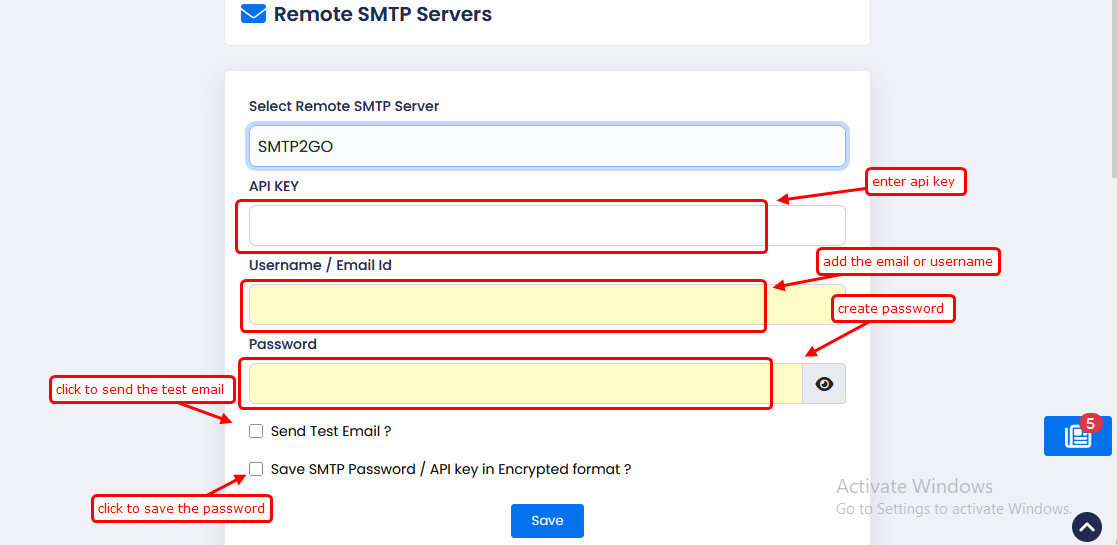
4) SendGrid > Configure SendGrid SMTP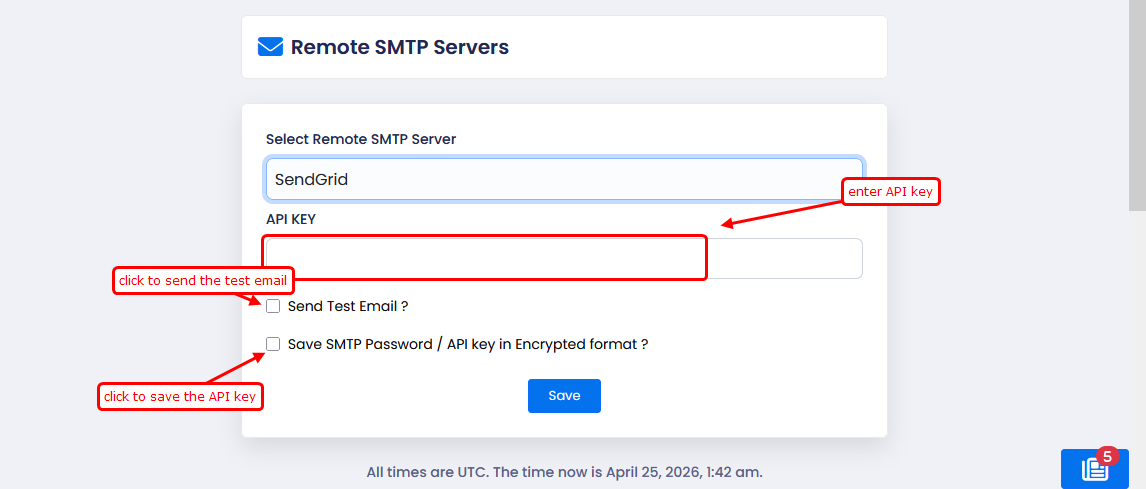
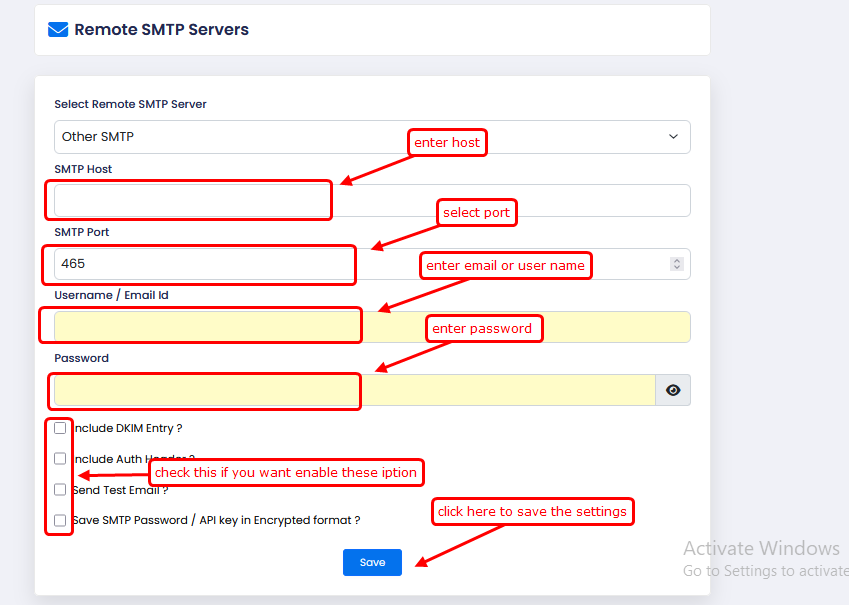
5) Other SMTP > Add any custom SMTP server