Sign in to your Discord account
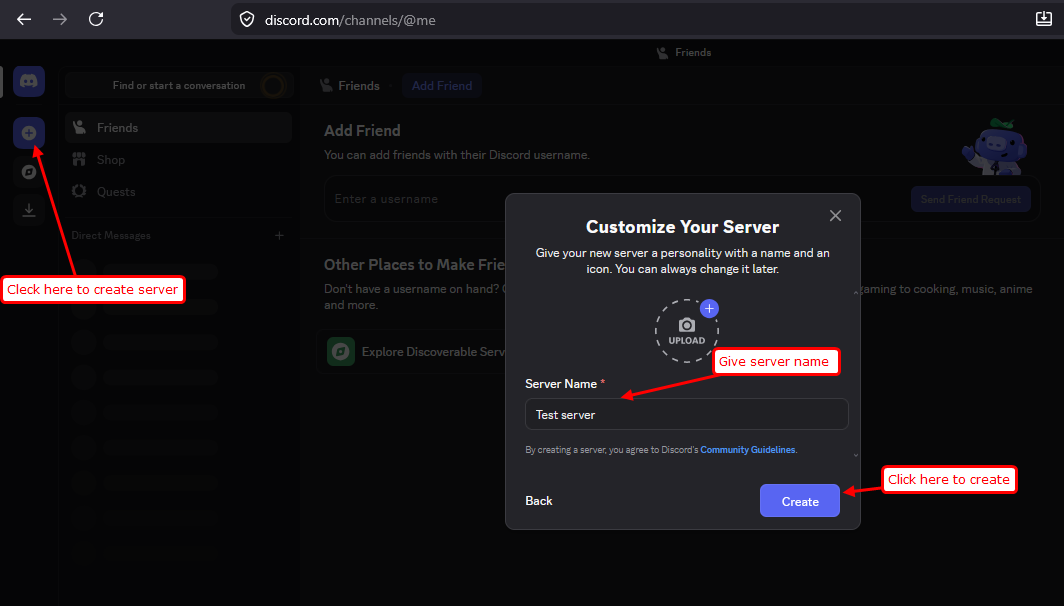
1. Create the server where you want to receive Webuzo notifications.
Open the Notification Channel
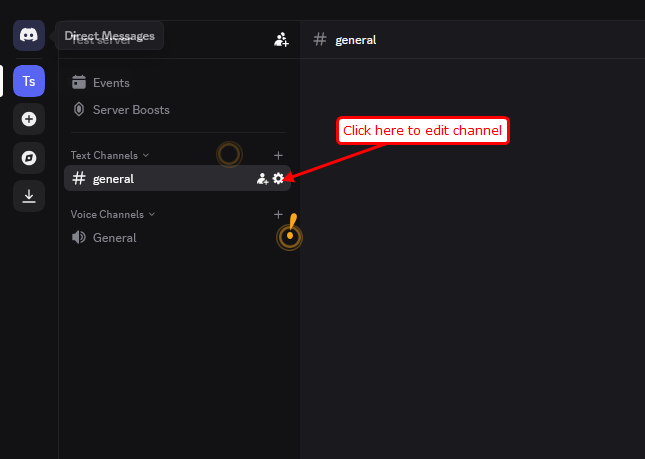
1. Choose the text channel where notifications should be sent.
2. Click the Edit Channel icon next to the channel name.
Create a Discord Webhook
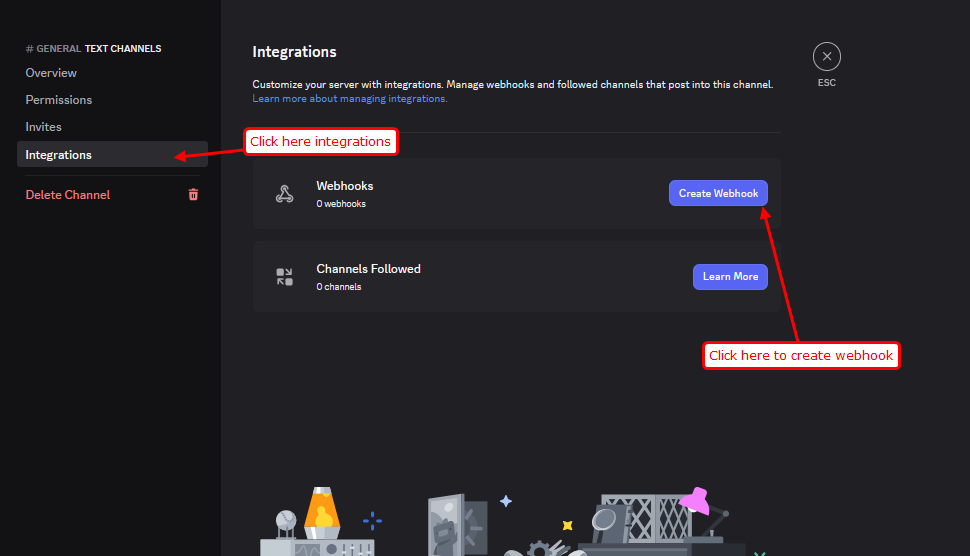
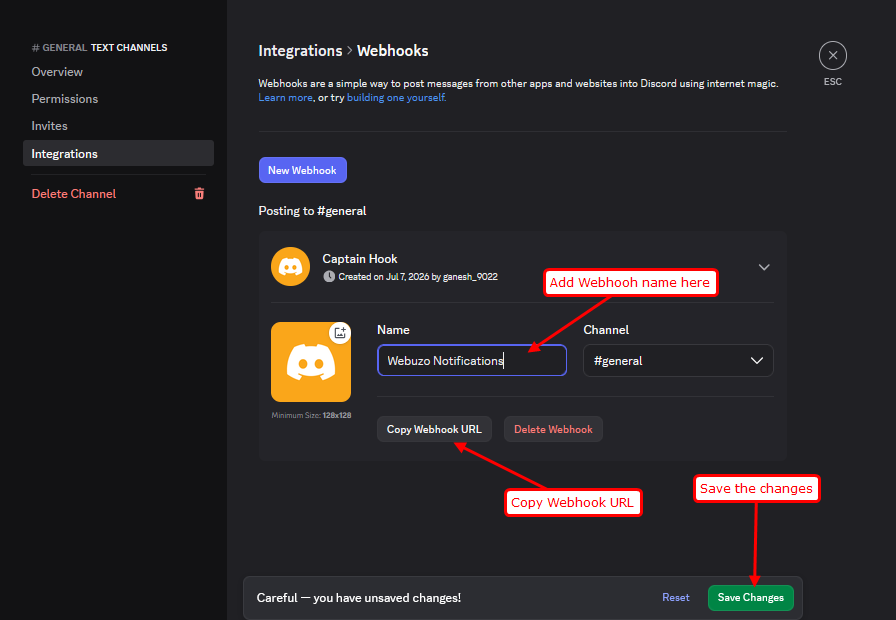
1. In the left sidebar, click Integrations.
2.Click Create Webhook.
3. Enter a name for the webhook (for example, Webuzo Notifications).
4. Click Save Changes.
5.Copy the Webhook URL.
Configure Discord in Webuzo
1. Log in to the Webuzo Admin Panel.
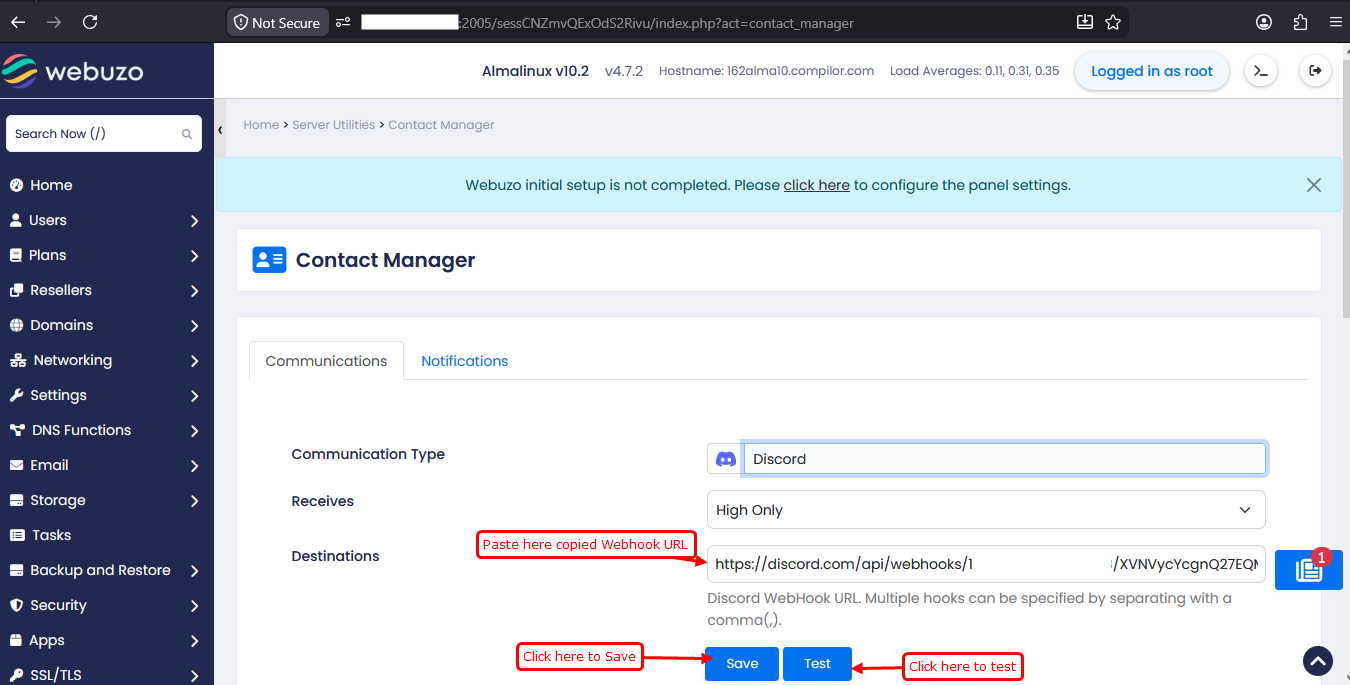
2. Navigate to: Contact Manager.
3. Select Discord as the communication type.
4. Paste the copied Discord Webhook URL into the Destination field.
5. Click Save to store the configuration.
Test the Configuration
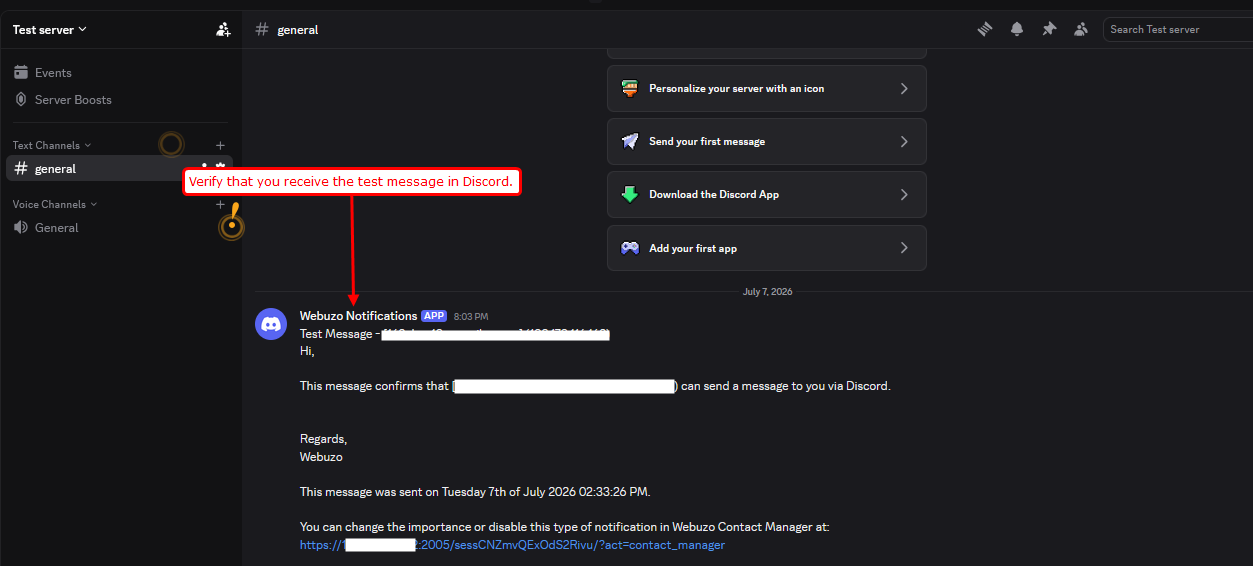
1. Click the Test button.
2. Verify that a test notification appears in the selected Discord channel.