
Webuzo provides an import utility that allows administrators to migrate hosting accounts from ISPConfig panel to a Webuzo panel
This guide explains how to configure the connection, scan the source server, initiate the import, and verify the migration status
Procedure
1) Navigate to webuzo admin panel > Import > Import from ISPConfig
2) The Import from ISPConfig interface will appear.
a) Enter the IP address or hostname of the source ISPConfig server
b) Enter the password for the root user,
c) Enter the SSH port
you can refer screen shot 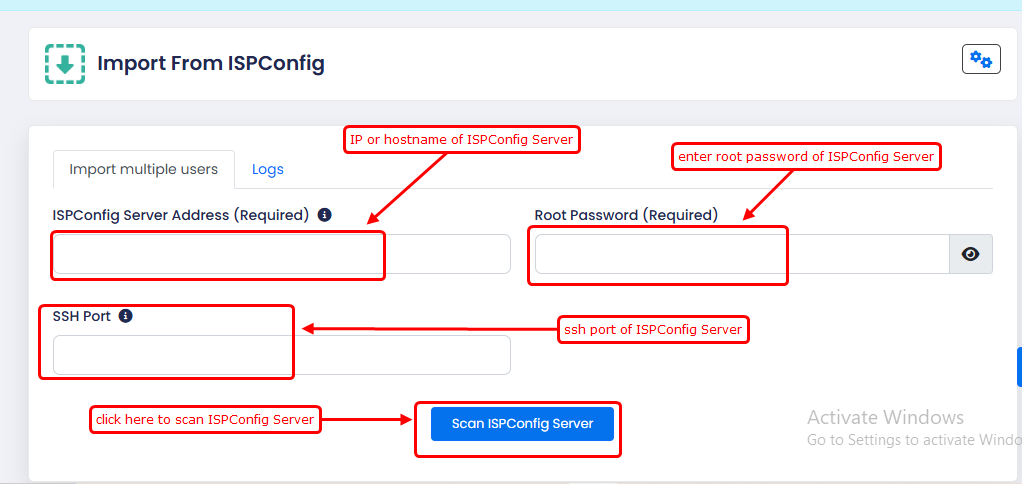
4) After scan Select the accounts you want to migrate
5) Monitor the migration progress through the Logs tab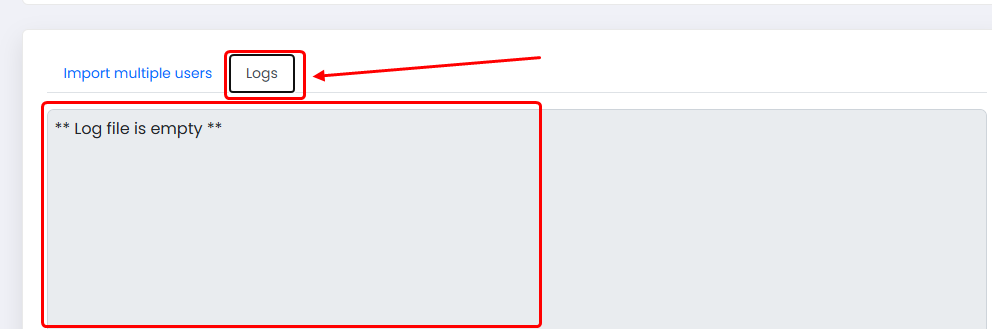
The logs provide information about the import process and any errors encountered during migration