Overview
This guide will show you how to import Users from VestaCP
Requirements
Go to Webuzo Admin Panel > Import > Import from VestaCP
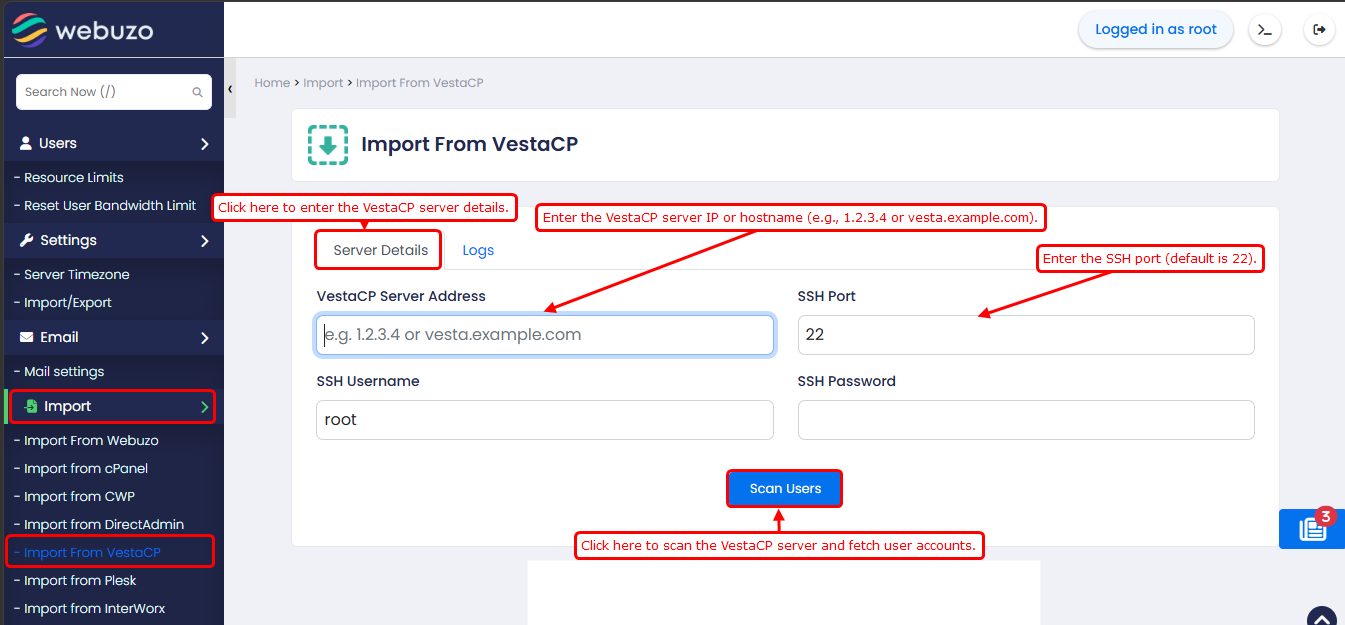
Enter the VestaCP server credentials here and click Scan VestaCP Server.
- SSH Port
Default: 22
Change only if the source server uses a custom SSH port
After scanning the VestaCP server, you will have access to a list of all the users on the server. You can manually select the users you want to import, or you have the option to choose all the users at once.
If the user already exists, you can choose from the dropdown list whether you want to overwrite the user or do not overwrite and delete and overwrite. You can select one of them.
Once you have selected, click on the Start Import button,
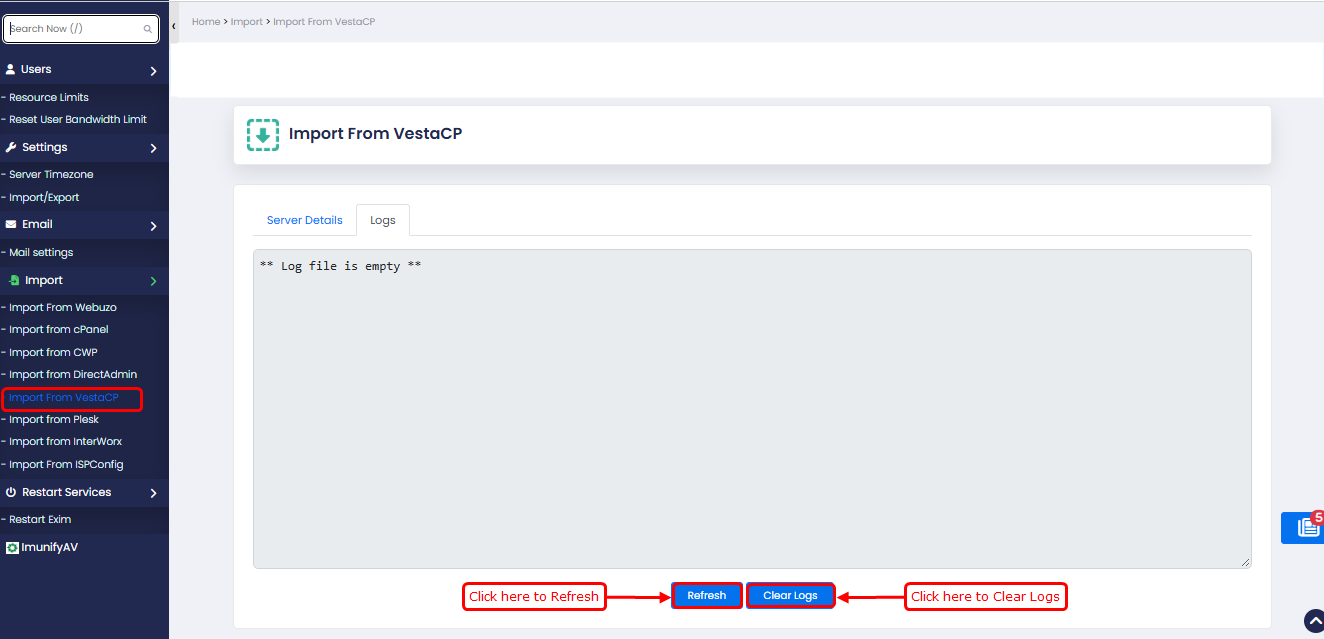
Logs
Go to Logs tab to see the logs to track the background import process. It will show you the import process and any errors that occurred during the import process.
After completion you will get a success message in logs.